Q&A listing
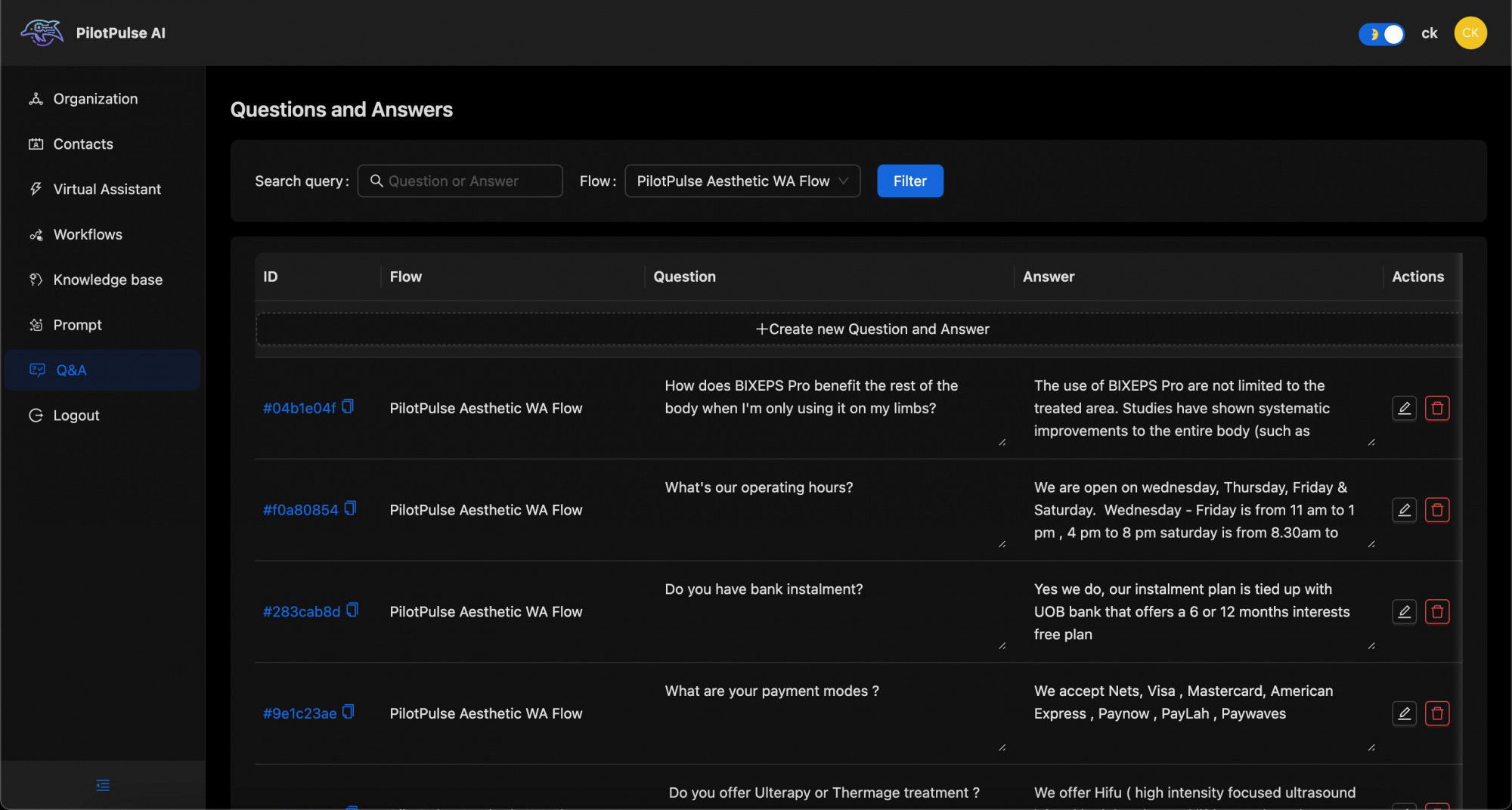
Here are the features specific to the "Questions and Answers" (Q&A) listing:
-
Search and Filter Options:
- Search Query: A search bar for querying specific questions or answers.
- Flow Filter: A dropdown menu to select a specific flow, such as "PilotPulse Aesthetic WA Flow," to filter the questions and answers relevant to that flow.
- Filter Button: A button to apply the selected search query and flow filter.
-
Q&A Table:
- Columns:
- ID: Unique identifier for each question-and-answer entry.
- Flow: Specifies the flow to which the question-and-answer pair belongs, such as "PilotPulse Aesthetic WA Flow."
- Question: The specific question posed by users, for example, "How does BIXEPS Pro benefit the rest of the body when I'm only using it on my limbs?" and "What's our operating hours?"
- Answer: The response provided by the AI to address each question, offering detailed information tailored to the question's context.
- Actions: Icons for editing or deleting each Q&A entry, allowing users to manage and modify content as needed.
- Columns:
-
"Create new Question and Answer":
- An option to add a new question-and-answer pair to the selected flow, enabling continuous content expansion for the AI's responses.
This table section provides an organized interface for managing frequently asked questions and responses associated with specific AI interaction flows. The search and filter options allow users to locate particular Q&A pairs easily, while the action icons facilitate updates and content control.