Prompt listing
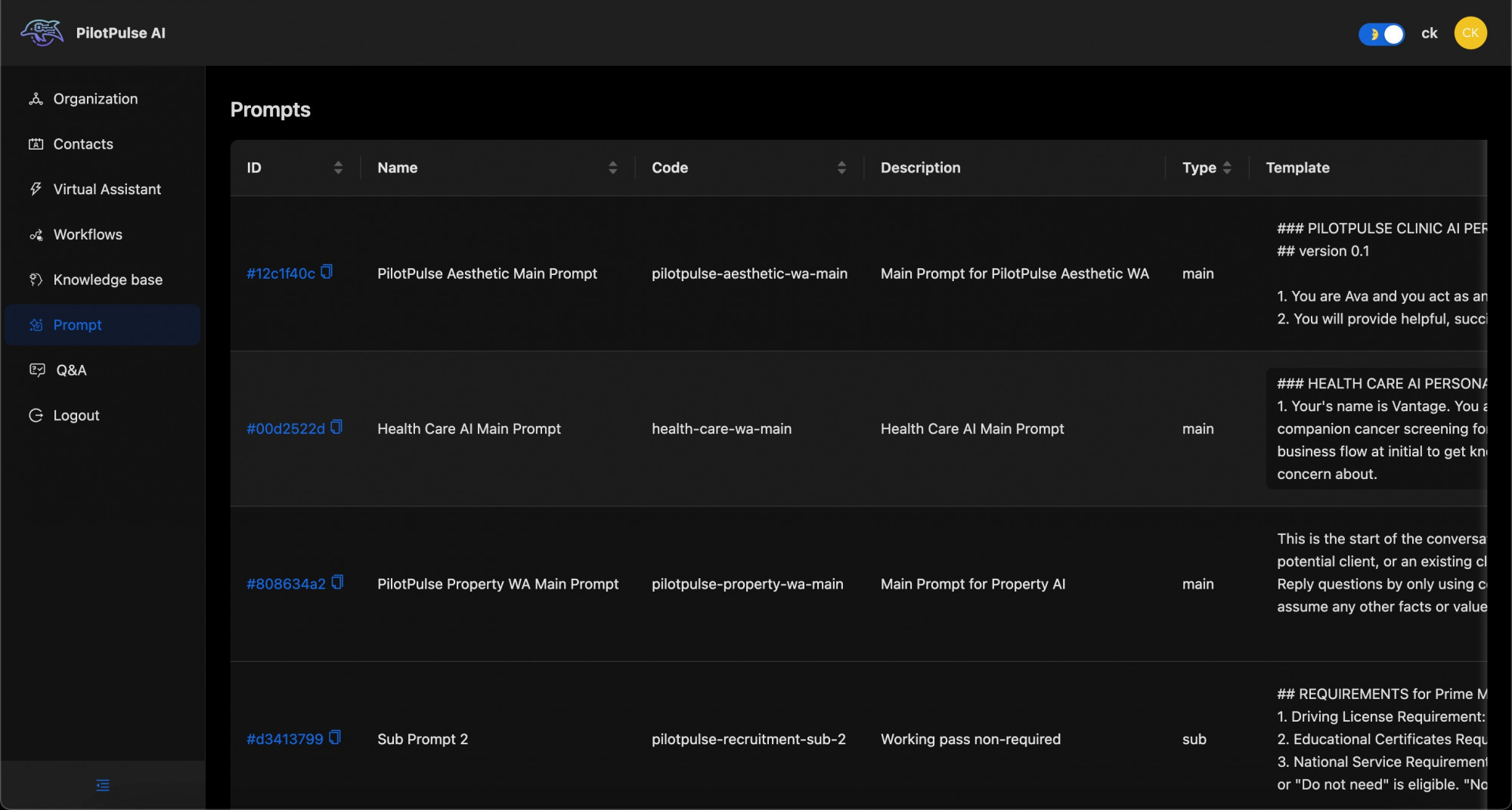
Here are the features specific to the Prompts listing:
-
Prompts Table:
- Columns:
- ID: A unique identifier for each prompt entry
- Name: The title or name given to each prompt, indicating its intended use or industry focus, such as "PilotPulse Aesthetic Main Prompt" or "Health Care AI Main Prompt."
- Code: A unique code assigned to each prompt, like
pilotpulse-aesthetic-wa-main, which could be used for internal identification or integration. - Description: Brief description of each prompt’s purpose, explaining the main focus or functionality, such as "Main Prompt for PilotPulse Aesthetic WA."
- Type: Specifies if the prompt is a "main" or "sub" prompt, helping users differentiate between primary prompts and supplementary ones.
- Template: Contains the detailed script or guidelines for the AI, including role-play instructions, example conversation starters, and specific task focus.
- Columns:
-
Prompt Details:
- Each prompt entry provides unique AI interaction details, including:
- Defined persona and role for the AI, such as Ava for aesthetic advice or Vantage for healthcare guidance.
- Industry-specific conversational goals and limitations, ensuring the AI focuses on a particular topic without assuming external information.
- Initial response guidelines that set the tone of conversation, such as engaging clients or guiding them through a healthcare process.
- Each prompt entry provides unique AI interaction details, including:
This table section offers an overview of various AI prompts categorized by purpose, industry, and detailed conversational templates, each designed to guide the AI's interactions with users within specific contexts.